
modified: Thursday 27 August 2026
author: Hales
markup: textile
Repair: x270 laptop crashing when picked up or bumped
 Neanderthal diagnosis techniques lead to a simple and complete repair.
My current laptop is a chimera of a Thinkpad x260 and a x270, built from the corpses of two laptops obtained from the dimension of post-corporate waste known as eBay.
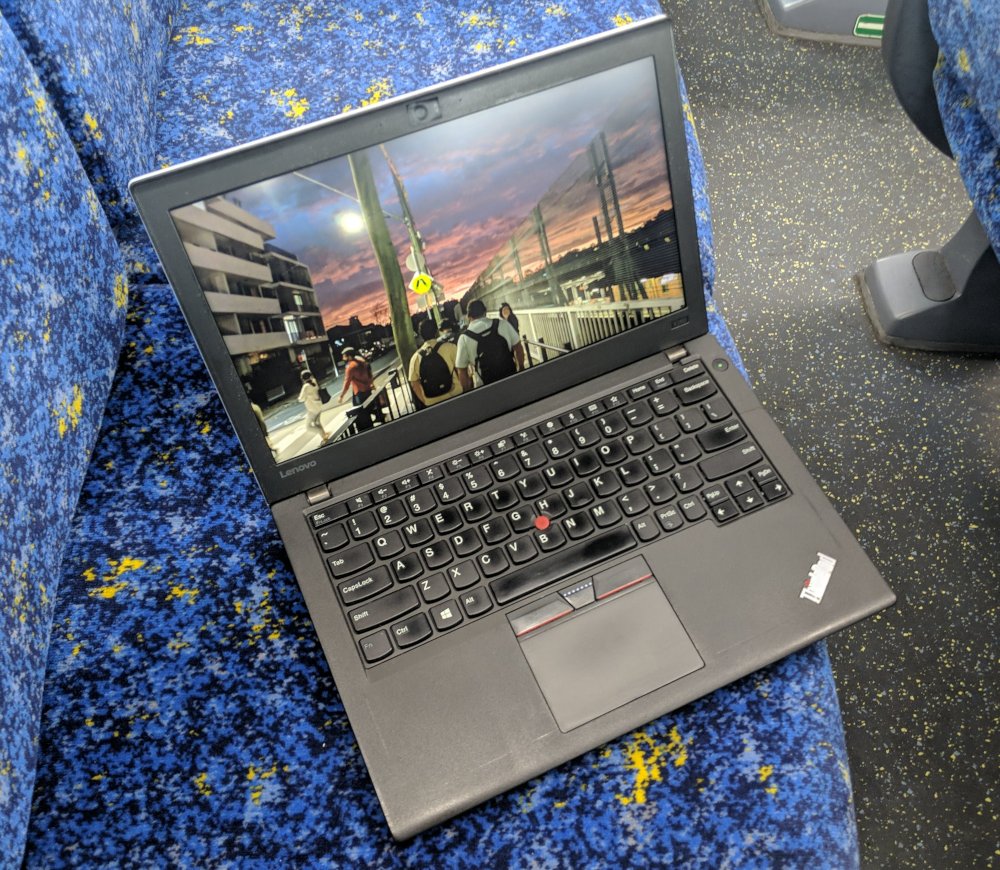
I recently knocked my laptop over. It froze and started playing solemn PC speaker tunes, then refused to turn back on.
The manual was no help, somewhere between the x260 and x270 Lenovo decided to delete information about beep codes and replace it with a phone app that didn’t work. Reseating the RAM and other parts didn’t help either, but eventually I discovered that twisting and banging the case a bit brought it temporarily back to life.
Things slowly got worse. Picking it up made it crash. Bumping the
desk made it crash. Cursed and terrifying messages like
[drm] ERROR CPU pipe A
FIFO underrun
appeared. Something was very cooked.
I do not like it when my computers die without my permission.
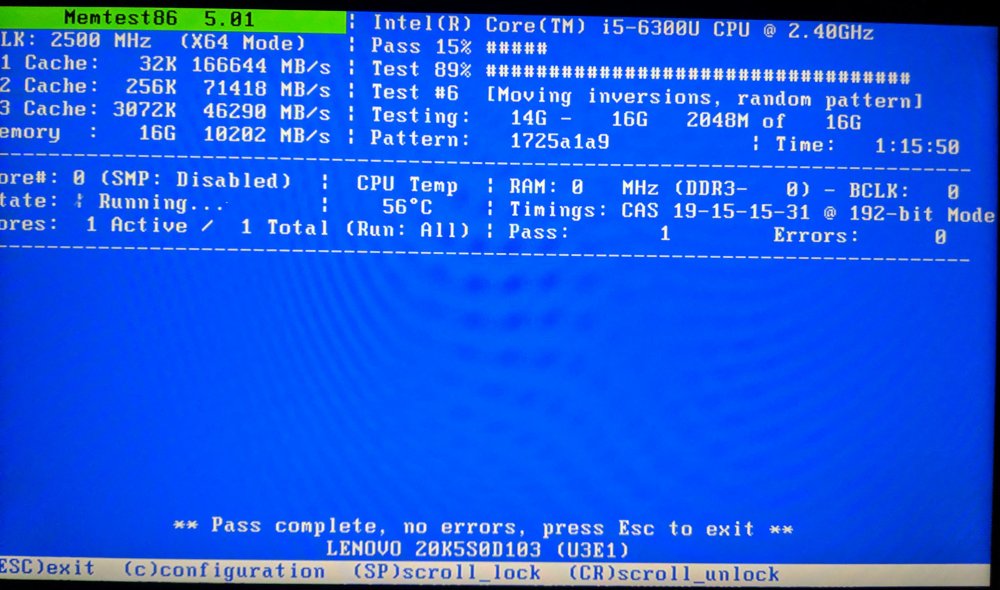
My first diagnostic tool was memtest. For those not familiar it’s a small operating system that does not but test memory and it should look like this, with “Pass: 1” and “Errors: 0” on the middle right:
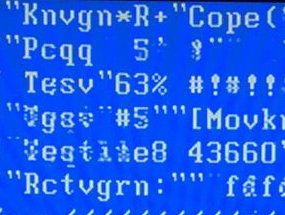
On my laptop it looked like this:
These optics are pretty standard for a weekend at my place, but usually only for the computers in my dungeon. I keep them in a perpetual half-alive half-dead state in the hope of discovering new cures for diseases.
Normally the next thing I would try is reseating and cleaning the RAM, but this did not help. I became concerned that I had either damaged the RAM, which is expensive to replace at the moment because of spicy autocomplete investment scams, or I had a cracked solder ball under the laptop’s SoC (combined CPU + GPU), which is beyond my current abilities to repair.
I was stressed. I was sad. So I emailed a friend for support:
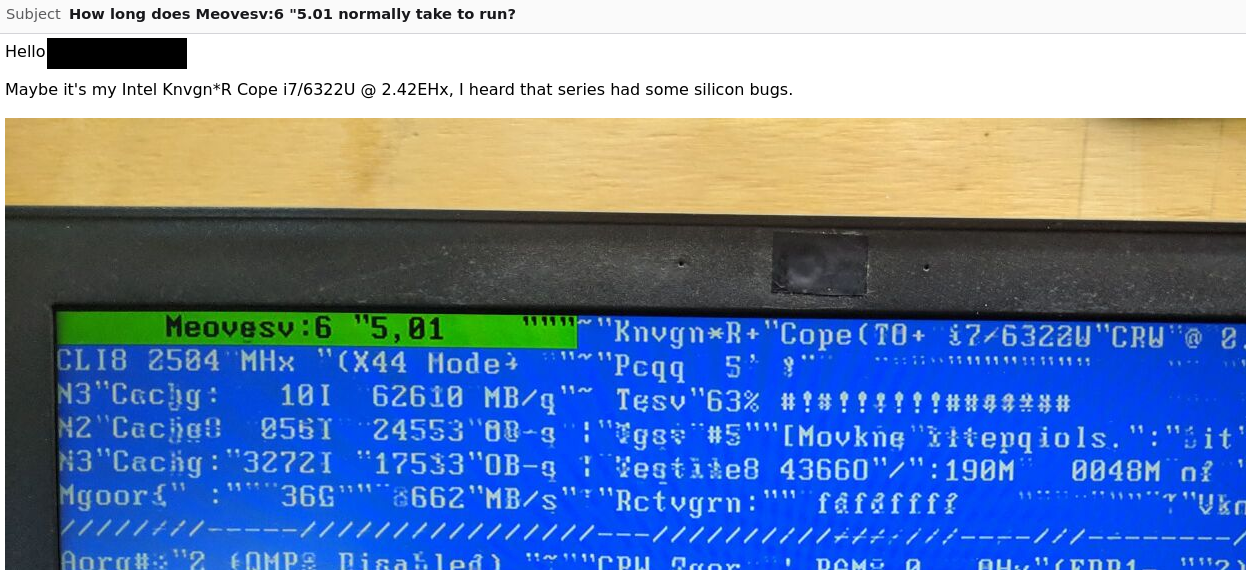
My friend, who is really kind, offered me a newer laptop for free, completely unprompted. I felt both supported and betrayed.
I was not going to give up yet. I kept memtest running on the laptop whilst it was upside down and poked and prodded different parts of it to see if the problem had a specific physical location. Eventually I discovered that the video graphics corruption would go away if I applied finger pressure to the motherboard between the RAM socket and the SoC.
After more joggling I narrowed the pressure point down to one corner of my RAM stick, right on the corner of the RAM socket. I dubbed this the G-spot, shown here with the RAM removed:
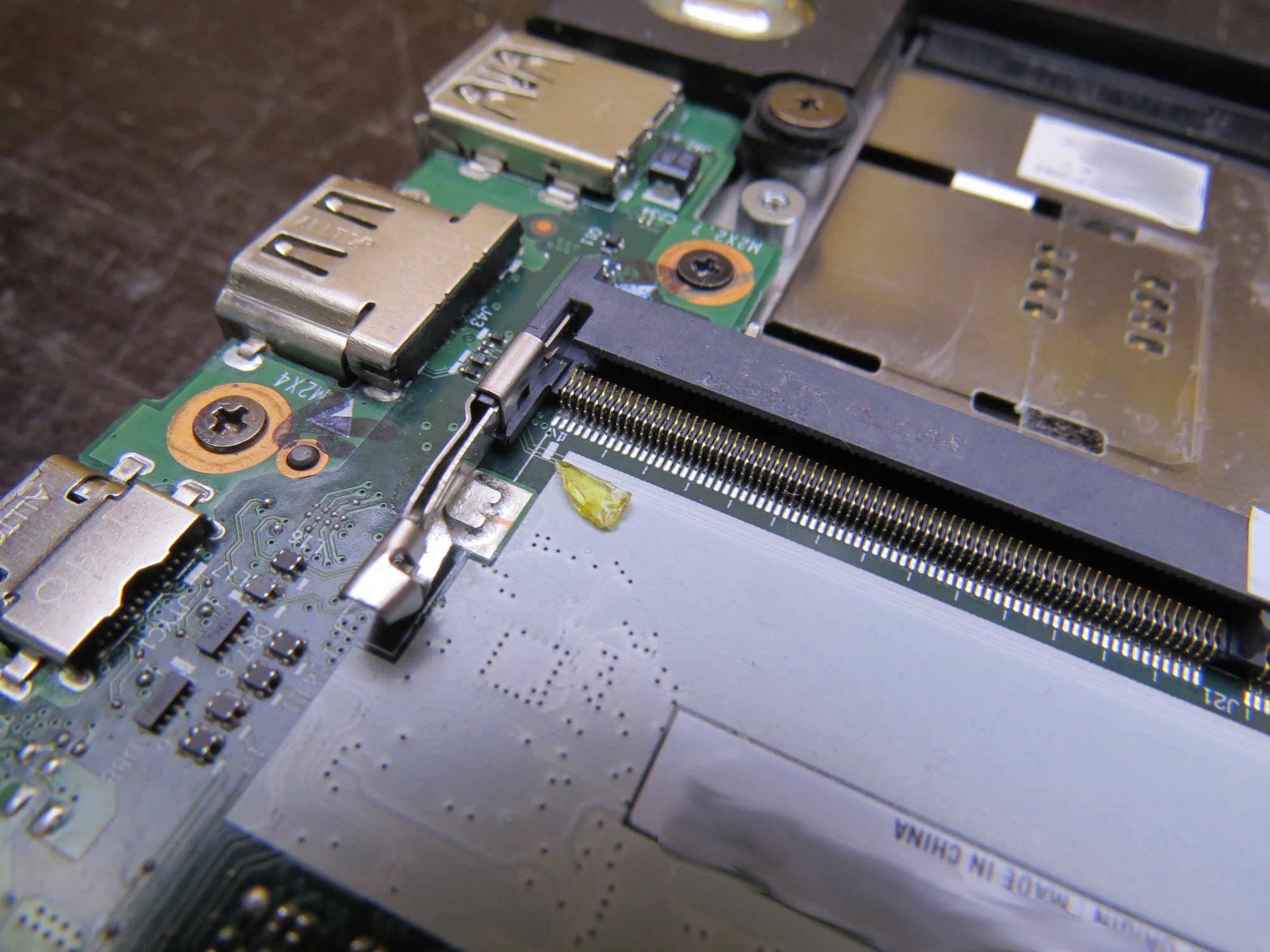
Memtest would often have frozen by this point, but the GPU was still grabbing the text buffer from RAM and throwing it to the screen 60 times per second, and a few bits of many of the characters would go from corrupted to sane when I applied pressure. To me this suggested that only some address or data lines between the memory and the SoC were affected, which gave me hope.
It was time to get out my finest microscope:
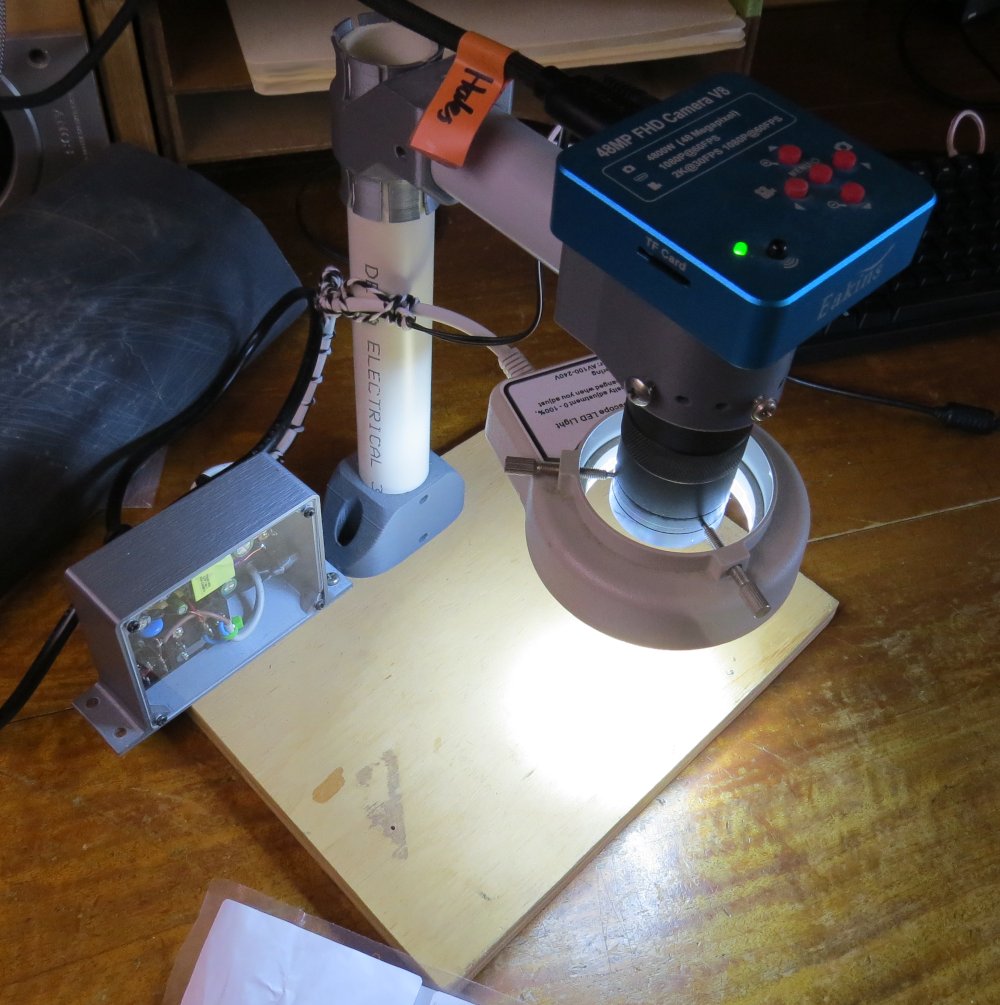
And look at the corner of the socket where the RAM plugged in:
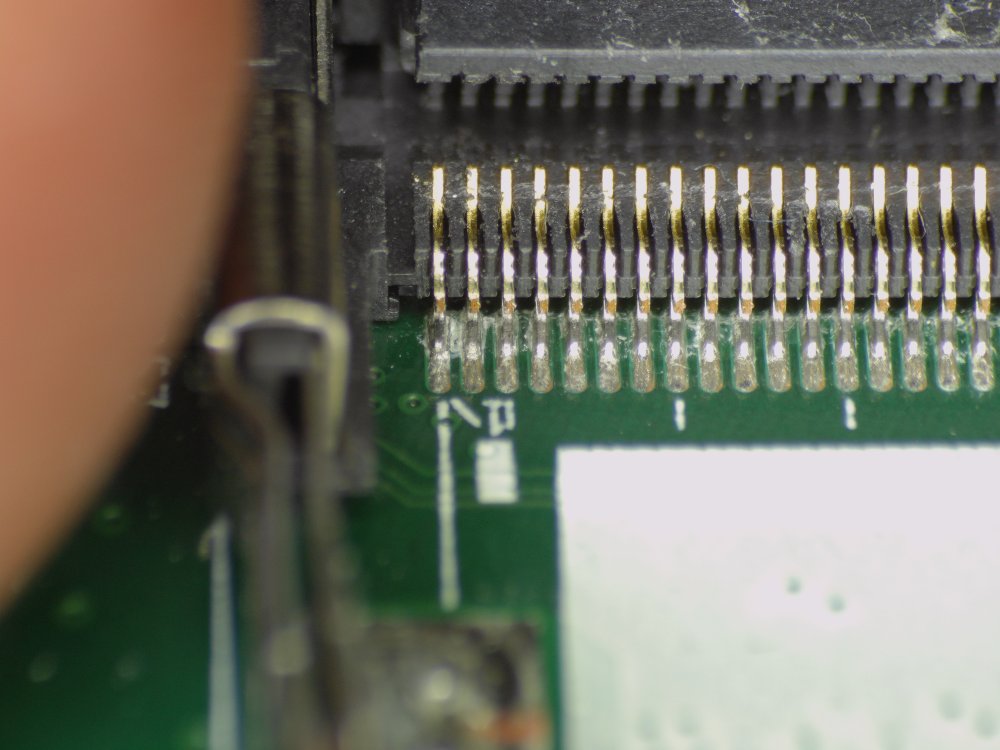
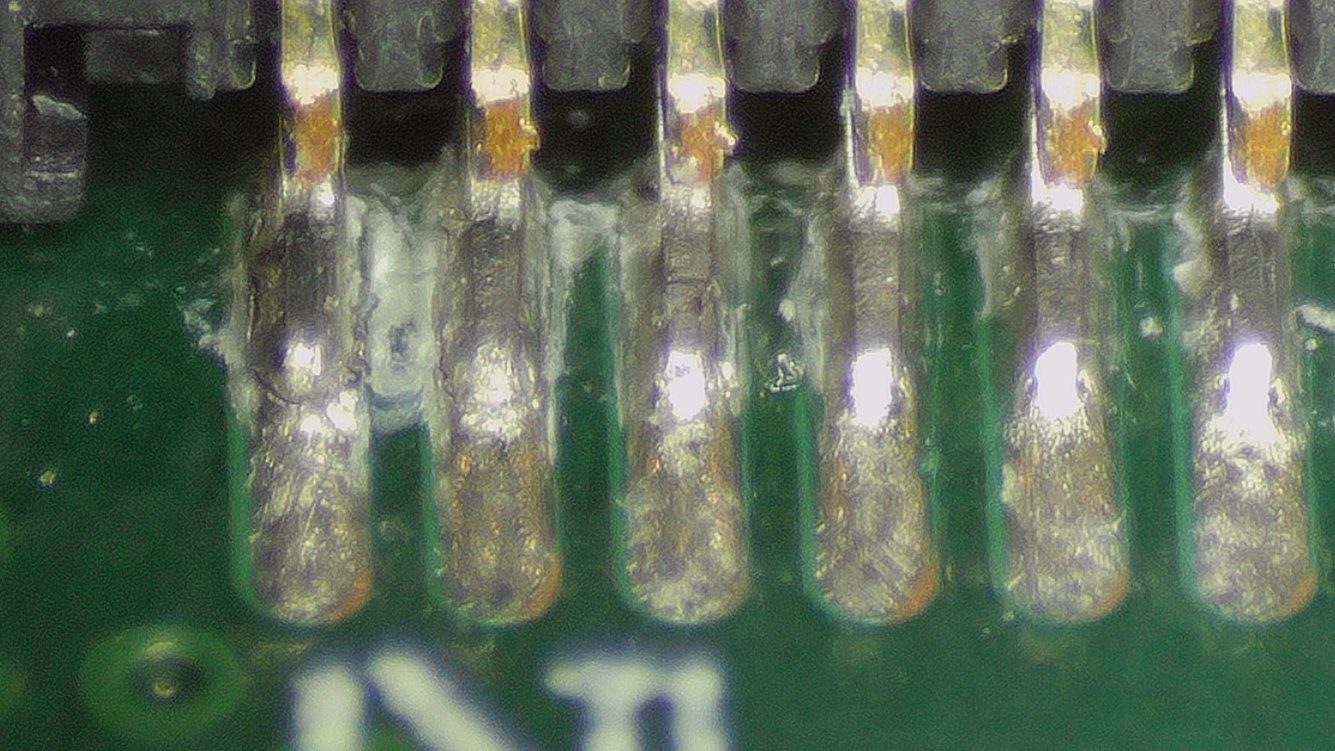
Can you see the problem? It’s quite subtle if you don’t have an eye for it. The two solder joints on the left are cracked.
I felt elated. Exposed broken solder joints are something I could fix. I applied some flux, reflowed them and marvelled at the result:
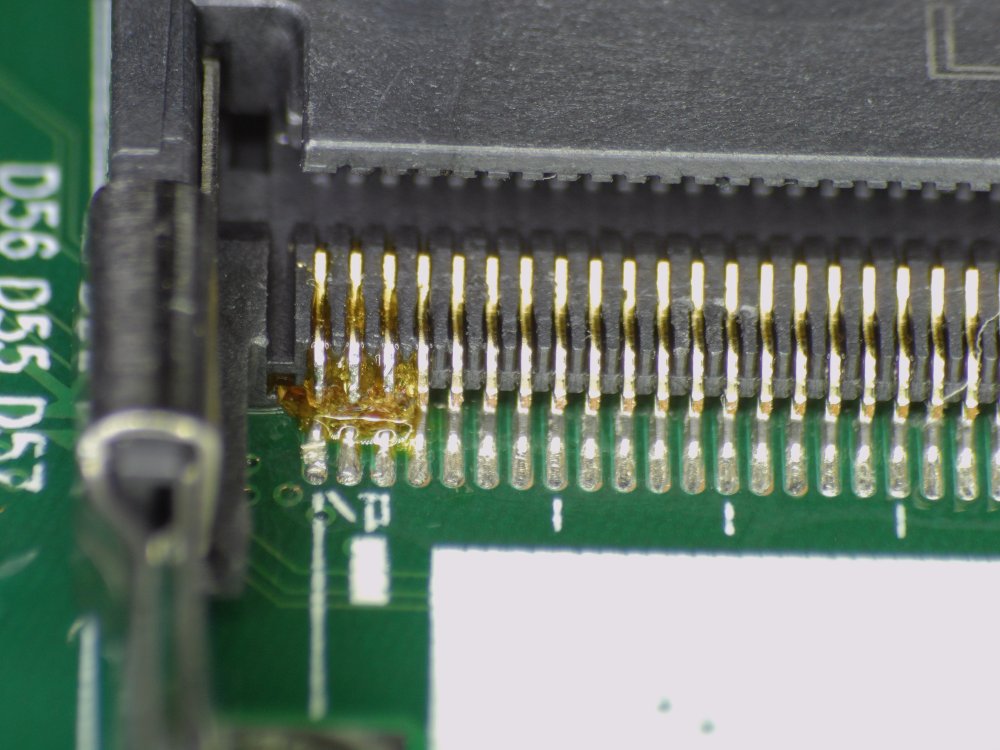
I use solid violinist’s rosin as a flux because it ticks most of my boxes: cheap, the residue is harmless to electronics, it smells like burning pine trees (I’ve had some fluxes that smelled like death incarnate) and the hazards of the smoke are approachably understandable (literally burning pine trees). But it’s a bitch to clean and in this case the residues are mostly un-burned rosin that has wicked into the connector and then solidified. I had a mild panic as I reminisced about to some flat-flex connectors I once ruined by doing this, but 5 minutes of cleaning with isopropyl alcohol fixed the problem.
I booted the laptop back up into memtest and started flexing the case all about. The laptop didn’t crash. The screen didn’t corrupt.
It has been about a month since the repair and everything has worked perfectly. I’m over the moon, my laptop is whole and I didn’t have to fork out any money.
See also: X131e repairs requiring BIOS reverse engineering).
Nice work !
I cannot imagine the nightmare you had to go through to pinpoint the cracked area...
It was actually super easy once I realised that the GPU kept running even when the CPU crashed. Poke spot? Screen looks normal. Don't poke spot? Screen looks garbled. This ability to get instant feedback was key.
Haaaaaaaleeeesss! haha metal here! i don't know why your webpage brings me that much joy to read/visit, it feels so refreshing like a trip back to the past.
The way you approached this problem is a clear example that if you are determined to solve something you don't need more tools than your own curiosity. They are some
unfixable problems for those who don't have the proper tools.. but other problems show you that even in highly complex electronics you can do something at least. I'm fixing
an old Samsung Galaxy Tab A10. I was able to find the culprit. A very strong hit to the back of the tablet knocked a SMD ceramic capacitor making the screen go dark and
making the poor thing emit heat near that component. I saw on the internet that you can remove the ceramic capacitor and the tablet will turn back on... but something tells
me that i better replace it before turning it back on.. if there's another problem that I'm not aware i can fry the screen or some other component.
I'm not an electronic but my sixth sense tells me that is a bit dangerous to turn the screen with that component. I feel that in the event of an apocalypse i will have plenty
if junk to toy around creating Frankenstein's haha.. I'm happy with old tech.. new tech.. with anything really. That is what makes me happy when i read other people posts about salvaging stuff or fixing broken
hardware. I resurrected my computer from my high school era (Athlon XP 64bits 3200+ with 2.5 gigs of ram a old/brand new 250 GB IDE HDD and a MSI GeForce 210 with 1 GB DDR3 (outputs to HDMI, dvi and VGA)).
Runs very good with a Windows XP 64 bits. I read somewhere that i have to be careful with my MOBO chipset cos it can suffer the exact same problem that XBOXES and PlayStation 3 suffered around that period of time
(2005). The problem with the adhesive they used to paste the chip to the main board cracking after some time. I hope you are doing fine my friend!
PS: i got the tablet for free if i was able to fix it cos the owner already bought another one. Those
things that only happen to IT nuts! xD (happens to me a lot).
Hey Metal,
Glad I could bring joy ;)
Your capacitor: could be anything, but yes there is a very good chance it will work fine without. It's quite rare for it to be a situation where removing it would lead to further damage, but I can't say more without knowing it exactly what it is. Small ceramic capacitors are almost free (sub 1-cent in bulk manufacture), so designers put them everywhere and it's not worth their while to test if they really needed them or not.
I recommend having a good look at nearby areas of the PCB, just in case there was further damage like scratches or gouges. The missing capacitor might just be a symptom of a bigger event.
> it feels so refreshing like a trip back to the past.
Hey hey hey I'm not that old. I'll have you know my age is only a two-digit number.
:D